Your X-Jammer, finally on Linux.
Remap every button, tune DPI, RGB and macros. Open source, stored on the mouse, ready for Linux, Windows and macOS.
The official software stops at Windows.
The X-Jammer ships with a Windows-only tool. On Linux the extra buttons, DPI stages and lighting stay locked. OpenJammer was built by studying that tool's USB protocol and re-creating it as a native app.
Vendor tool
- Windows only
- Closed source
- Settings depend on its own files
- No updates since 2020
OpenJammer
- Linux, Windows and macOS
- GPL-3.0, code on GitHub
- Reads the mouse before every change
- Checks for new releases
Everything the mouse can do, in one window.
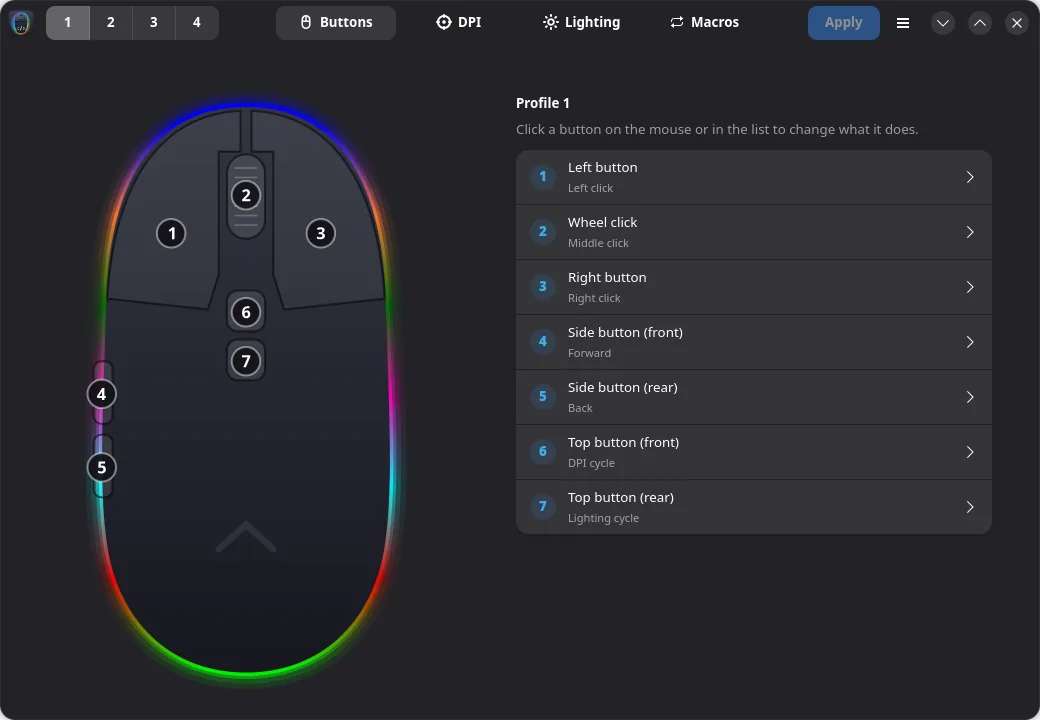
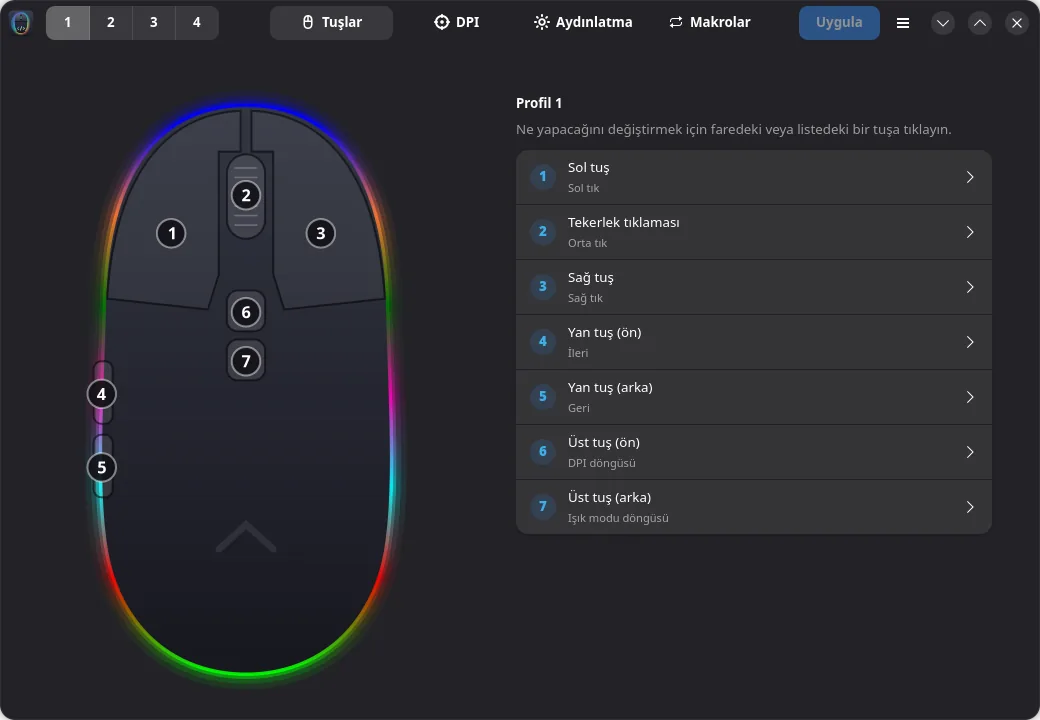
Remap all seven buttons
Clicks, rapid fire, DPI, profile switching, media keys, shortcuts or your own macros on any button.
- Buttons
- 7
- Buttons
- Profiles
- 4
- Profiles
- Ready-made shortcuts
- 26
- Ready-made shortcuts
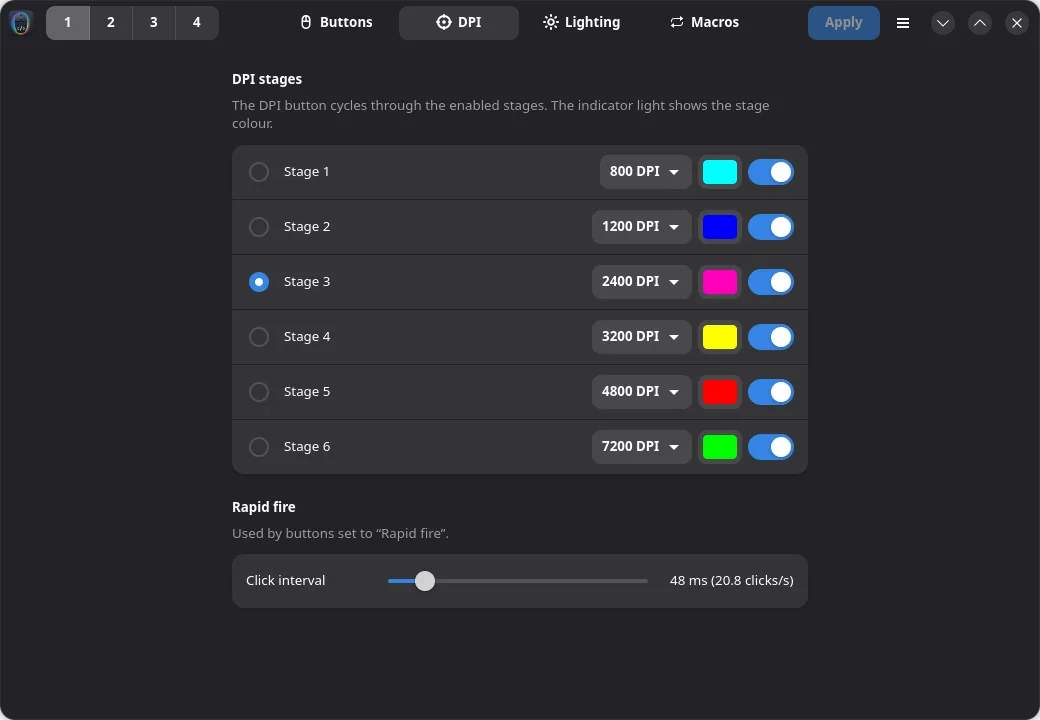
Six DPI stages
200 to 7200 DPI, each stage with its own indicator colour.
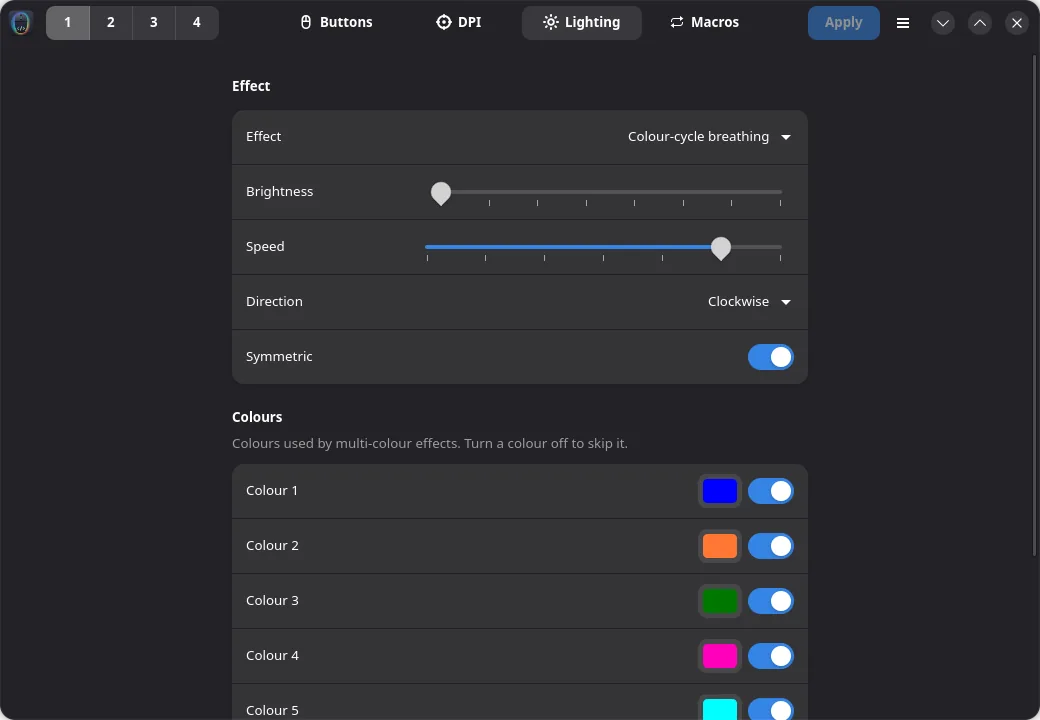
RGB lighting
Twelve effects, brightness, speed, direction and a seven-colour palette.
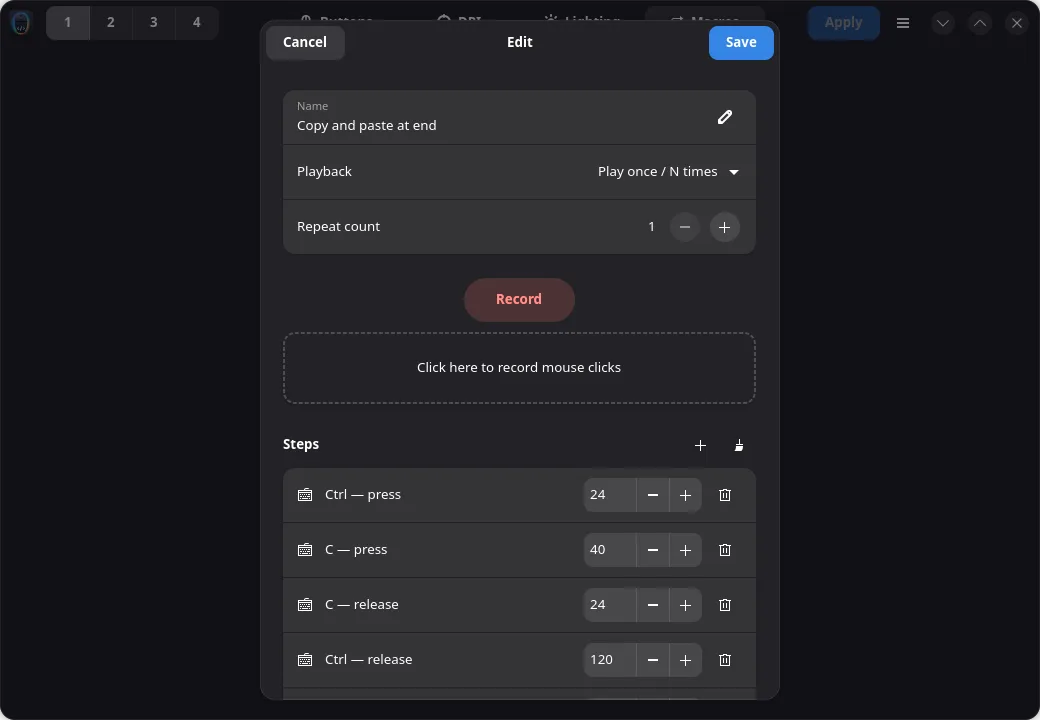
Macros that live on the mouse
Record keys and clicks with timing, or pick one of 26 ready-made shortcuts. They keep working on any computer.
English and Türkçe
Switch the language from the menu. Light and dark themes follow your desktop.
Careful with your hardware
- Reads the mouse before writing
- Rewrites only what you changed
- Verifies every write
- Backup, restore and factory reset
$ openjammer infoDevice: INSTANT SMX-R47 (30fa:1040)Profile: 1DPI: 800 1200 *2400 3200 4800 7200Lighting: cycle_breathing (speed 5)Fire: every 48 ms$ openjammer backup x-jammer.binReading mouse memory (this takes ~20 s)…Saved backup to x-jammer.bin
One app, three operating systems.
Install it the way your system expects. Every release is built and tested automatically.
Tested on 12 distributions, under X11 and Wayland.
GNOME, KDE Plasma, Xfce, Cinnamon or a tiling compositor: it is a native GTK 4 app.
One command for any distribution
$ curl -fsSL https://github.com/kaankaltakkiran/openjammer/releases/latest/download/install.sh | sudo shOr pick a package
Start the AppImage from your file manager, not from the browser's download list.
Verified on
- Arch Linux
- Ubuntu
- Debian
- Fedora
- openSUSE
- Linux Mint
- Alpine
- Void Linux
- Manjaro
- NixOS
- GNOME
- KDE Plasma
From download to done in three moves.
Install
Run the installer for your system. It also sets up access to the mouse.
Configure
Click a button on the drawing, pick an action, tune DPI and lighting.
Apply
Settings are written to the mouse and stay there, even on other computers.
Free software, built in the open.
OpenJammer is licensed under GPL-3.0. Anyone may use, study, change and share it, and every copy must stay open. The USB protocol is documented so other projects can build on it.
- License
- GPL-3.0
- Distributions tested
- 12
- Operating systems
- 3
- Languages
- 2
Questions
Which mice are supported?
The Rampage X-Jammer SMX-R47 (USB ID 30fa:1040). Other mice with the same chipset may work but are untested.
Do my settings stay when I unplug the mouse?
Yes. Buttons, DPI, lighting and macros are written to the mouse's own memory and work on any computer, even without OpenJammer.
KDE says it will not launch executables from the download list. Why?
KDE and GNOME never run programs opened from the browser's download list. Use the one-line installer or a package, or open the AppImage from your Downloads folder.
Can it damage my mouse?
It reads the mouse before changing anything, only rewrites the bytes you edited, verifies every write and refuses to touch the USB identity area. You can back up and restore the full memory.
Is it affiliated with Rampage?
No. OpenJammer is an independent community project. All trademarks belong to their owners.
Does it collect data?
No. It only talks to the mouse. Checking for updates is optional and off by default.